Physical Address
304 North Cardinal St.
Dorchester Center, MA 02124
Physical Address
304 North Cardinal St.
Dorchester Center, MA 02124

Your Guide to the Latest in Tech
Your Guide to the Latest in Tech
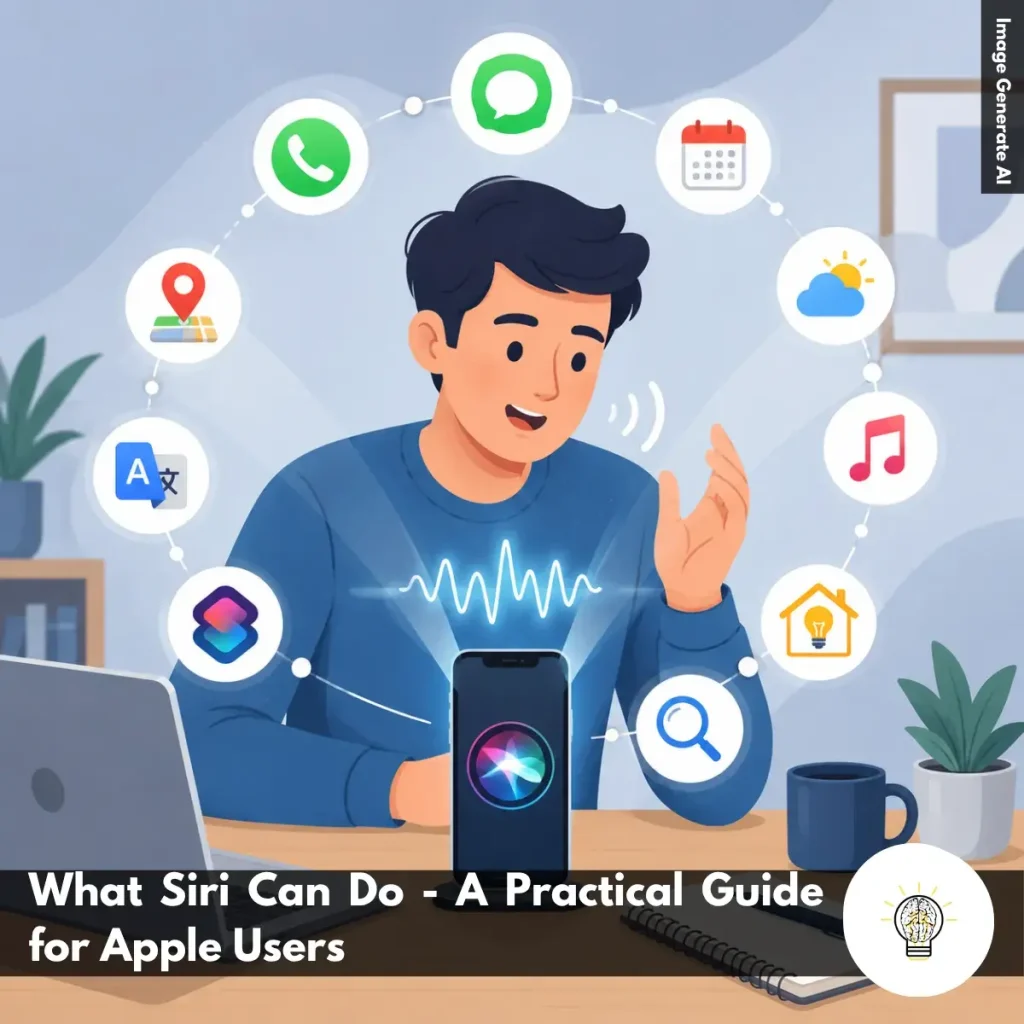
Ruminesia – Have you ever used Siri only to set a timer or check the weather and wondered if that’s all it can really do? Many Apple users know Siri exists, but surprisingly few take full advantage of its features. As a result, one of the most useful tools on their devices often goes underused.
The interesting thing about what Siri can do is that it goes far beyond answering simple questions. From sending messages and managing your schedule to controlling smart home devices and automating daily routines, Siri is designed to handle a wide range of tasks with just your voice.
What many users don’t realize is that Siri becomes even more useful the deeper you are in Apple’s ecosystem. Small conveniences that seem minor on their own can add up over time, helping you save a few seconds here, avoid distractions there, and make everyday interactions with your devices feel noticeably smoother.
Key Highlights
- Siri can handle everyday tasks faster through simple hands-free voice commands.
- Communication, reminders, and navigation are among Siri’s most practical features.
- Siri helps reduce distractions when driving, working, or multitasking throughout the day.
- Siri Shortcuts can automate repetitive actions and streamline daily routines.
- HomeKit integration allows Siri to control compatible smart home devices effortlessly.
- Siri becomes significantly more useful when connected across Apple’s ecosystem.
One of Siri’s biggest advantages is its ability to simplify everyday tasks through voice commands. Whether you’re driving, working, exercising, or simply trying to avoid navigating menus, Siri can help you complete actions quickly and hands-free.
Beyond answering questions, Siri is deeply integrated into Apple’s ecosystem, allowing users to control apps, devices, and services with natural language. Here are some of the most useful things Siri can do.
One of Siri’s most commonly used features is communication. Instead of typing a message or searching through your contacts, you can simply ask Siri to send a text or place a call for you.
This is especially useful when your hands are occupied, such as while driving or cooking. Siri can also read incoming messages aloud and help you respond without touching your device.
In practice, this feature helps reduce distractions while making everyday communication faster and more convenient.
Siri can act as a personal assistant for managing your schedule. You can create reminders, set alarms, or add events to your calendar using simple voice commands.
For example, you might ask Siri to remind you about a meeting tomorrow morning or create a grocery reminder when you arrive home.
What many users don’t realize is that these reminders and events automatically sync across Apple devices, making it easier to stay organized wherever you are.
Need to know whether you should bring an umbrella or leave early for work? Siri can provide real-time weather forecasts and traffic updates within seconds.
Instead of opening multiple apps, you can simply ask questions like “What’s the weather today?” or “How’s traffic to the office?”
This convenience becomes particularly valuable when you’re preparing for a trip or planning your daily commute.
Siri works seamlessly with Apple Music, Podcasts, and various audio apps, allowing you to control entertainment entirely through voice commands. You can ask Siri to:
Besides making playback easier, voice controls are particularly helpful when you’re driving, exercising, or using wireless earbuds.
Siri can help you navigate your device more efficiently by launching apps and changing settings without requiring manual input. Common tasks include:
Interestingly, many small actions that normally require several taps can often be completed with a single voice command.
If you use smart home accessories, Siri can become a central control hub for your connected devices. You can use Siri to:
Because Siri integrates with HomeKit, managing multiple smart devices often feels much more seamless than switching between different apps.
Siri can quickly provide navigation assistance through Apple Maps, helping you reach destinations without manually entering addresses.
Simply ask for directions to a location, a nearby restaurant, a gas station, or a point of interest.
This hands-free navigation experience is particularly useful while driving, as it allows you to stay focused on the road while receiving turn-by-turn guidance.
Siri can handle quick translations and conversions, making it useful for travel, shopping, education, and everyday problem-solving. For example, you can ask Siri to:
These small conveniences can save time when you need an answer quickly without opening a dedicated app.
One of Siri’s most powerful features is its ability to run Siri Shortcuts. These shortcuts allow multiple actions to be combined into a single command. For example, one shortcut could:
In practice, this allows Siri to automate repetitive tasks and create personalized workflows tailored to your daily routine.
Siri can also serve as a quick information assistant by searching the web and providing answers to common questions. You can ask about:
While Siri may not replace a full web search for complex research, it is often fast enough for everyday questions and quick fact-checking.
The real strength of Siri comes from how deeply it connects Apple’s devices and services together.
For example, a reminder created on your iPhone can appear on your Mac, iPad, and Apple Watch automatically. Smart home controls, media playback, notifications, and personal data can also work together across devices.
This level of integration is what transforms Siri from a simple voice assistant into a convenient tool for managing everyday digital tasks throughout the Apple ecosystem.
Read more:
Frequently Asked Questions about Siri often focus on privacy, customization, voice commands, and everyday usability. Below are some of the most common Siri questions, along with concise and practical answers for Apple users.
You can change Siri’s voice by going to Settings > Apple Intelligence & Siri > Siri Voice. From there, choose different accents and voice options, including American, British, Australian, and more.
Once selected, your iPhone will automatically download the voice files over Wi-Fi. This allows Siri to sound more natural based on your preference.
Yes, Siri can handle several basic commands offline on supported iPhones. You can set alarms, open apps, control music, or adjust settings without internet access.
However, requests that need live information, such as weather updates or web searches, still require Wi-Fi or cellular data.
This usually happens because voice activation is disabled or the microphone is blocked. Check Settings > Apple Intelligence & Siri and make sure “Listen for ‘Hey Siri’” is turned on.
Besides that, avoid placing your iPhone face down or inside a thick case that may affect microphone detection. Restarting the device can also help fix temporary Siri issues.
To enable this feature:
Once enabled, Siri can read incoming messages aloud and let you reply hands-free.
Apple does not currently allow completely custom wake words for Siri. However, newer iOS versions let users shorten the phrase from “Hey Siri” to simply “Siri.” If you want more customization, you can use Vocal Shortcuts inside Accessibility settings to trigger certain actions using custom phrases.
You can delete Siri history directly from your iPhone settings. Go to Settings > Apple Intelligence & Siri > Siri & Dictation History, then choose the delete option. This removes stored voice recordings and Siri interaction history linked to your account. One thing many users overlook is that this can improve privacy management.
No, Siri does not continuously record private conversations. Your device only listens locally for the wake phrase like “Hey Siri” or “Siri.” Once Siri detects the trigger phrase, it begins processing your request. If preferred, you can disable voice activation entirely in the settings.
Activate Siri and say, “Learn how to pronounce my name.” Siri will guide you through a short pronunciation setup process. You’ll be asked to repeat your name, then select the pronunciation that sounds most accurate. Siri will save it automatically to your contact profile.
Yes, Siri can help locate a misplaced iPhone using other Apple devices like Apple Watch, HomePod, or iPad. Simply say, “Where is my iPhone?” to trigger the search. Even if the iPhone is in silent mode, it will still make a loud sound to help you find it quickly.
First, enable Siri access for WhatsApp in your iPhone settings. Open Settings > WhatsApp and turn on the “Use with Siri” option.
After that, specify WhatsApp directly in your voice command. For example, say “Send a WhatsApp message to Sarah” instead of only saying “Message Sarah.”
When people think about Siri, they often focus on the obvious features like setting alarms or asking quick questions. But after looking closer at what Siri can do, it’s easy to see that the assistant is really about making everyday interactions with technology feel simpler, faster, and a little less distracting.
Interestingly, the value of Siri isn’t always found in one standout feature. Instead, it comes from the small moments throughout the day—sending a message without reaching for your phone, getting directions instantly, or automating tasks you repeat over and over. Individually, those conveniences may seem minor, but together they can create a noticeably smoother experience.
The best way to understand Siri’s potential is simply to use it more often and explore beyond the basics. You might discover features that fit naturally into your routine and save more time than expected. Have you found a Siri feature that genuinely makes your day easier, or is there one you’re still curious to try?