Physical Address
304 North Cardinal St.
Dorchester Center, MA 02124
Physical Address
304 North Cardinal St.
Dorchester Center, MA 02124

Your Guide to the Latest in Tech
Your Guide to the Latest in Tech
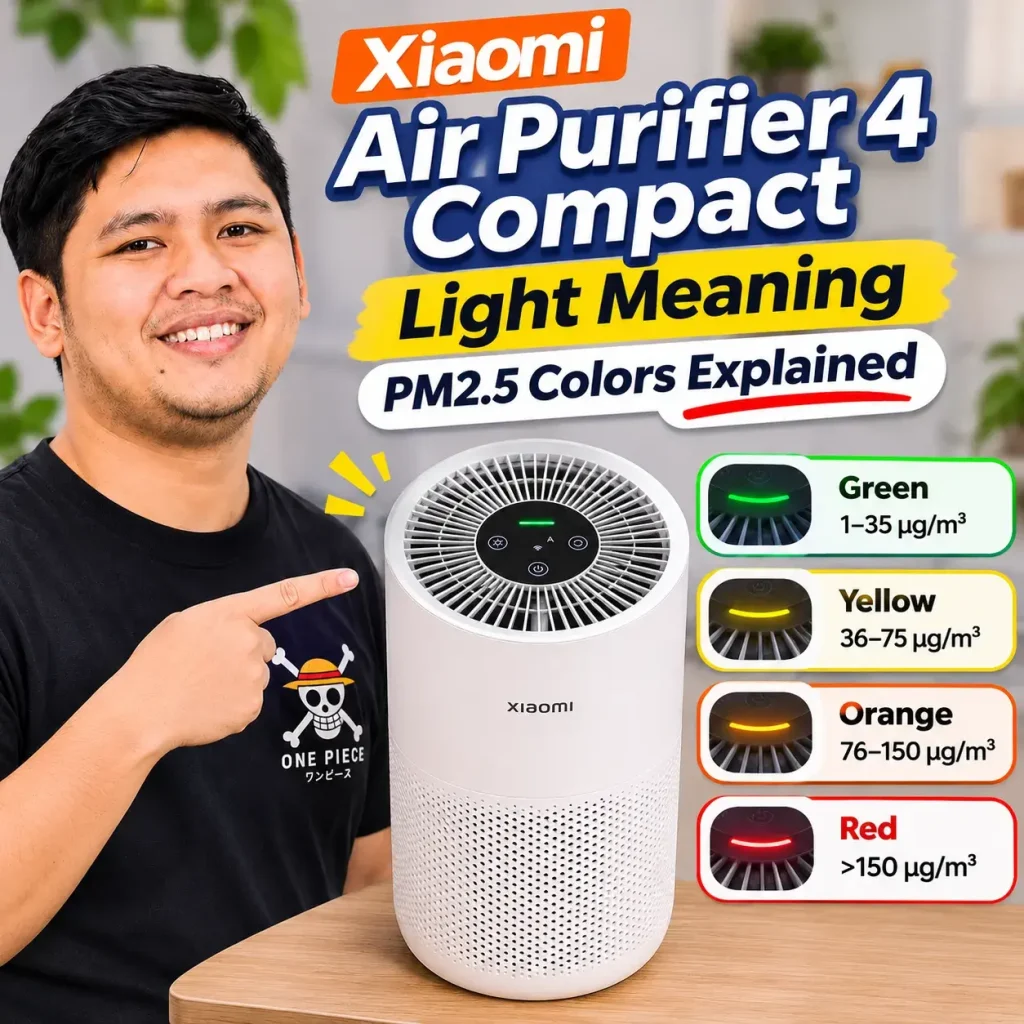
Ruminesia – The Xiaomi Air Purifier 4 Compact uses four indicator colors to show changes in PM2.5 levels. If the light changes from green to yellow, orange, or red, the purifier is responding to a higher concentration of airborne particles detected by its sensor.
The ranges are simple: green means 1–35 μg/m³, yellow 36–75 μg/m³, orange 76–150 μg/m³, and red above 150 μg/m³. When Auto Mode is active, the purifier adjusts the fan speed based on the detected particle level.
The Xiaomi Air Purifier 4 Compact does not show the actual PM2.5 number on its body. You can use the indicator for a quick check, while the Xiaomi Home app provides a more specific reading.
Key Highlights
- Green: PM2.5 at 1–35 μg/m³.
- Yellow: PM2.5 at 36–75 μg/m³.
- Orange: PM2.5 at 76–150 μg/m³.
- Red: PM2.5 above 150 μg/m³.
- The purifier uses an infrared PM2.5 sensor.
- Dust, smoke, aerosol products, and mist from an ultrasonic humidifier can cause the reading to rise.
- There is no fixed time for the indicator to return from red to green.
- More specific PM2.5 readings can be checked through Xiaomi Home.
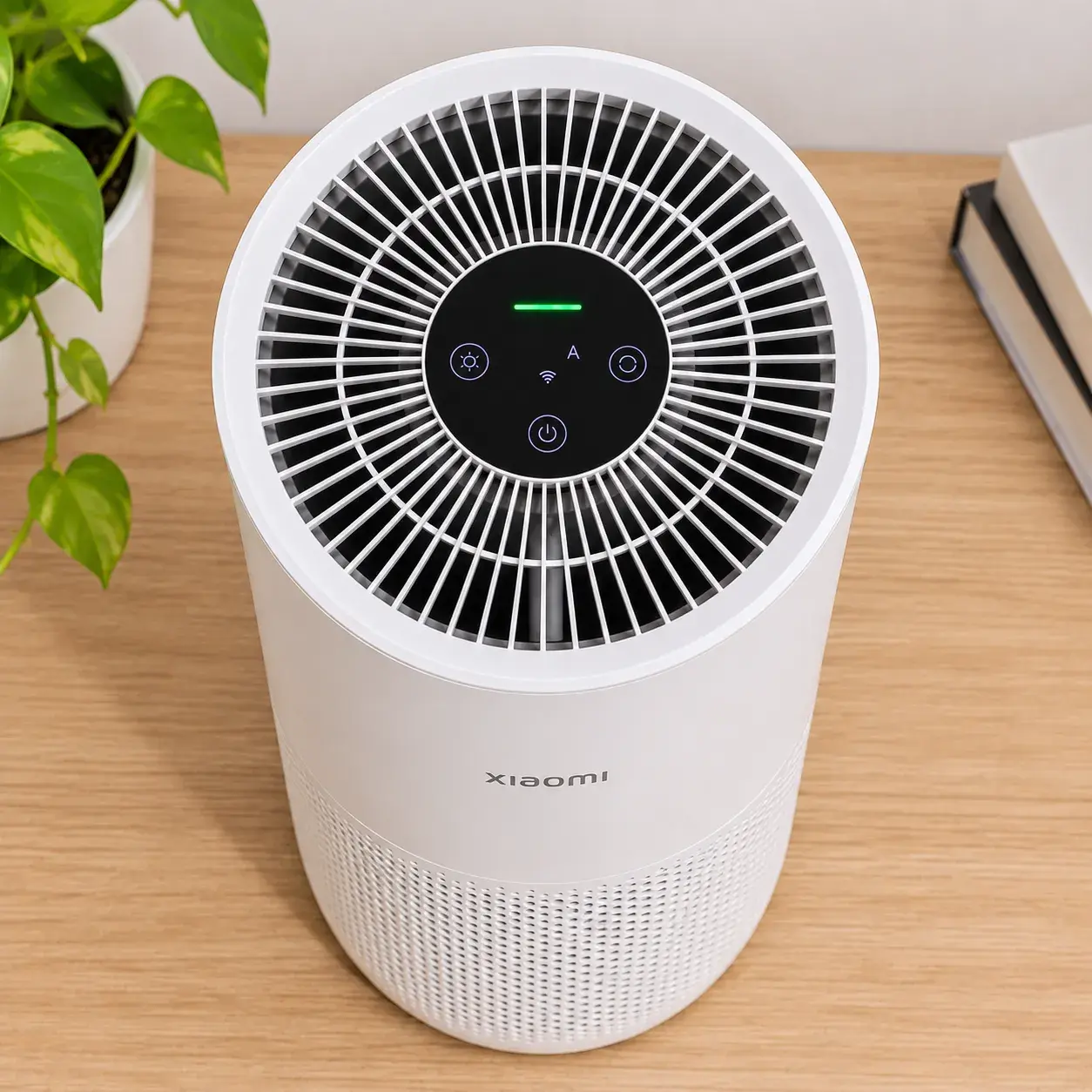
The four colors provide a quick indication of the PM2.5 concentration detected by the purifier. They do not represent temperature, humidity, or every aspect of indoor air quality.
| Indicator color | PM2.5 level | Simple meaning | Auto Mode response |
|---|---|---|---|
| Green | 1–35 μg/m³ | Relatively low particle level | Lower fan speed |
| Yellow | 36–75 μg/m³ | Particle level increasing | Fan speed increases |
| Orange | 76–150 μg/m³ | Higher particle level | Faster fan speed |
| Red | >150 μg/m³ | Very high particle level | Maximum fan speed |
The Xiaomi Air Purifier 4 Compact uses an infrared PM2.5 sensor, so the indicator is specifically related to airborne particles. It should not be treated as a complete measurement of everything that affects indoor air quality. In practical use, the colors can be read like this:
A red indicator means the sensor has detected a PM2.5 concentration above 150 μg/m³. It does not automatically mean that the purifier is malfunctioning. Common things that can cause the reading to rise include:
The humidifier case is particularly easy to misunderstand. A higher reading after turning on an ultrasonic humidifier does not automatically mean the purifier’s sensor is damaged.
There is no fixed amount of time for the Xiaomi Air Purifier 4 Compact to return from red to green. The result depends on the room and whether the source of the particles is still present. Several factors affect how quickly PM2.5 drops:
The purifier has a Particle CADR of 230 m³/h and is intended for rooms of approximately 16–27 m². A larger or poorly ventilated room can therefore behave differently from a small, enclosed bedroom.
If the source of the particles remains active, the purifier may continue running at a high speed while the indicator stays orange or red.
No. The Xiaomi Air Purifier 4 Compact does not have a numerical PM2.5 display on its body.
The indicator only tells you the range. For example, red means the reading is above 150 μg/m³, but the light cannot tell you whether the actual value is 160, 200, or higher.
For a more specific reading, connect the purifier to the Xiaomi Home app. The model uses 2.4 GHz Wi-Fi, rather than 5 GHz, for its wireless connection.
A small difference between the physical indicator and the value shown in the app does not automatically indicate a faulty sensor.
PM2.5 sensors have limitations, particularly when air conditions are changing quickly or when a concentrated particle source is close to the purifier. The reading is better treated as an indication of particle conditions rather than professional air-quality measurement.
Xiaomi documentation also discusses a buffering mechanism for some older Mi Air Purifier models with a three-color indicator. However, that documentation does not specifically establish the same mechanism as a feature of the Xiaomi Air Purifier 4 Compact.
The top panel includes controls and indicators for several functions. In everyday use, the main ones are:
For the procedures covered in the source, the filter reset uses a 6-second press of the power button while the purifier is in standby, while the Wi-Fi reset uses the light-setting button for approximately 7 seconds.
If the indicator is too bright at night, the Xiaomi Air Purifier 4 Compact offers three lighting settings:
On → Dim → Off
Turning the indicator off does not stop the purifier. You can keep the device running while removing the visible light, which is useful when using it in a bedroom.
I’ve been using the Xiaomi Air Purifier 4 Compact for around two years. For me, one of its most useful features is the simple color indicator because I can see when the particle condition in the room changes without opening the Xiaomi Home app.
When the light suddenly turns red, I usually look at what has happened in the room first. Changing bedsheets, disturbing dust, smoke, or other particle sources can explain the change more quickly than assuming there is something wrong with the purifier.
I don’t consider an air purifier a treatment for allergies. Based on my own experience, however, having one in the room has made the environment feel more comfortable and has helped reduce some of the dust-related triggers I encounter.
After two years, I think the more useful way to read the indicator is not simply to treat green as “good” and red as “bad.” The better question is why the color changed and what caused the particle level to rise.
If the indicator remains red for a long time, check the room and the purifier before assuming that something is broken.
When cleaning the sensor, avoid hot air and do not insert sharp objects into the sensor area.
No. The Off setting only turns off the indicator light.
The purifier can continue operating and filtering the air normally. This is particularly useful in a bedroom where you may want the device running without a visible light disturbing the room.
The color system is straightforward once you know the PM2.5 ranges. These are the questions that are most useful when the indicator changes color or stays red.
The green light means the PM2.5 reading is between 1 and 35 μg/m³. In Auto Mode, the fan generally operates at a lower speed because the sensor is detecting a relatively low particle concentration.
Yellow means the PM2.5 level is between 36 and 75 μg/m³. In Auto Mode, the purifier increases the fan speed in response to the higher particle concentration.
Orange indicates a PM2.5 level of 76–150 μg/m³. The purifier increases the fan speed in Auto Mode to respond to the higher particle level.
Red means the PM2.5 reading is above 150 μg/m³. In Auto Mode, the purifier increases the fan speed to its maximum level.
The sensor has detected a significant increase in airborne particles. Possible sources include dust, cigarette or vape smoke, cooking, aerosol products, and mist from an ultrasonic humidifier.
An ultrasonic humidifier produces fine water mist that can be detected by an optical particle sensor. This can increase the reported PM2.5 level and cause Auto Mode to increase the fan speed. It does not automatically mean the purifier’s sensor is defective.
There is no fixed duration. The time depends on room size, the initial PM2.5 level, ventilation, the source of particles, and the purifier’s fan speed.
The PM2.5 sensor does not specifically measure odors or gases. The purifier has activated carbon in its filter, which can help with some odors, but the indicator color itself is based on particle readings.
No. Turning off the indicator only changes the lighting. The air purifier can continue operating and filtering the air normally.
The Xiaomi Air Purifier 4 Compact does not have a numerical PM2.5 display on the device. Connect it to Xiaomi Home to view a more specific reading, using a 2.4 GHz Wi-Fi network for the connection.
The Xiaomi Air Purifier 4 Compact’s indicator is simple once you know the four ranges: green at 1–35, yellow at 36–75, orange at 76–150, and red above 150 μg/m³.
A red light is not automatically a sign of a faulty purifier. Check the room first, especially for dust, smoke, cooking particles, aerosol products, or mist from an ultrasonic humidifier. The useful part of the indicator is not simply knowing that the light is red, but understanding what changed in the room and what you can do about it.