Physical Address
304 North Cardinal St.
Dorchester Center, MA 02124
Physical Address
304 North Cardinal St.
Dorchester Center, MA 02124

Your Guide to the Latest in Tech
Your Guide to the Latest in Tech
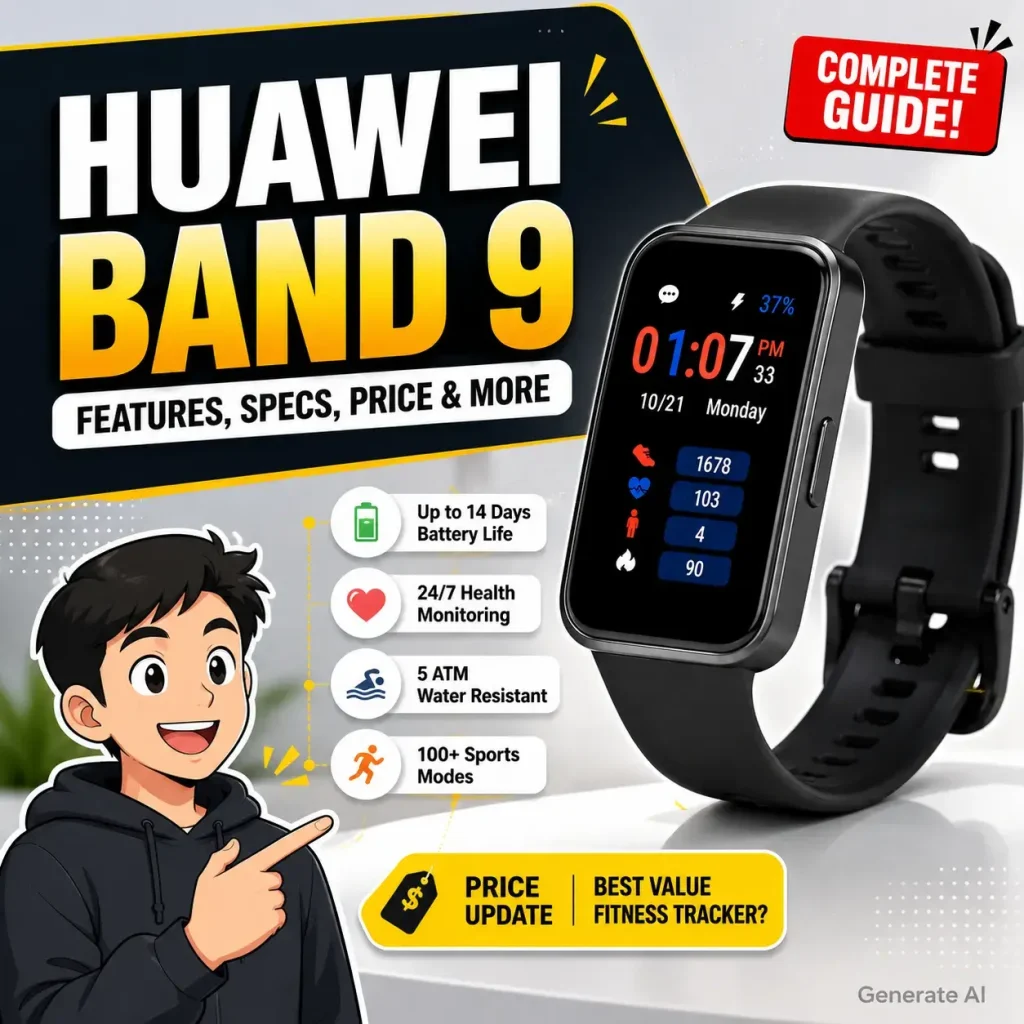
Ruminesia – Choosing a fitness tracker isn’t as simple as picking the newest model anymore. With so many options offering similar features, it’s easy to wonder whether the HUAWEI Band 9 is actually worth your money or just another small upgrade over previous generations.
Interestingly, the HUAWEI Band 9 isn’t trying to compete with premium smartwatches packed with advanced apps and features. Instead, it focuses on doing the essentials well—tracking your health, monitoring your workouts, and lasting for days on a single charge. For many people, that’s exactly what makes it appealing.
Whether you’re buying your first fitness tracker or thinking about upgrading from an older model, knowing what the HUAWEI Band 9 does well—and where it falls short—can help you make a more confident decision. From its features and specifications to real-world performance, comparisons, pricing, and common troubleshooting tips, this guide brings together everything you need to know in one place.
Key Highlight
- The HUAWEI Band 9 delivers excellent battery life, lasting up to 14 days on a single charge.
- It focuses on reliable health tracking instead of replacing a full-featured smartwatch.
- Continuous heart rate, SpO₂, stress, and sleep monitoring make it useful for everyday wellness.
- Despite lacking built-in GPS, connected GPS works well for most outdoor workouts.
- Lightweight design and soft straps make the HUAWEI Band 9 comfortable enough for 24/7 wear.
- Understanding its strengths and limitations helps you decide whether it fits your daily lifestyle and fitness goals.
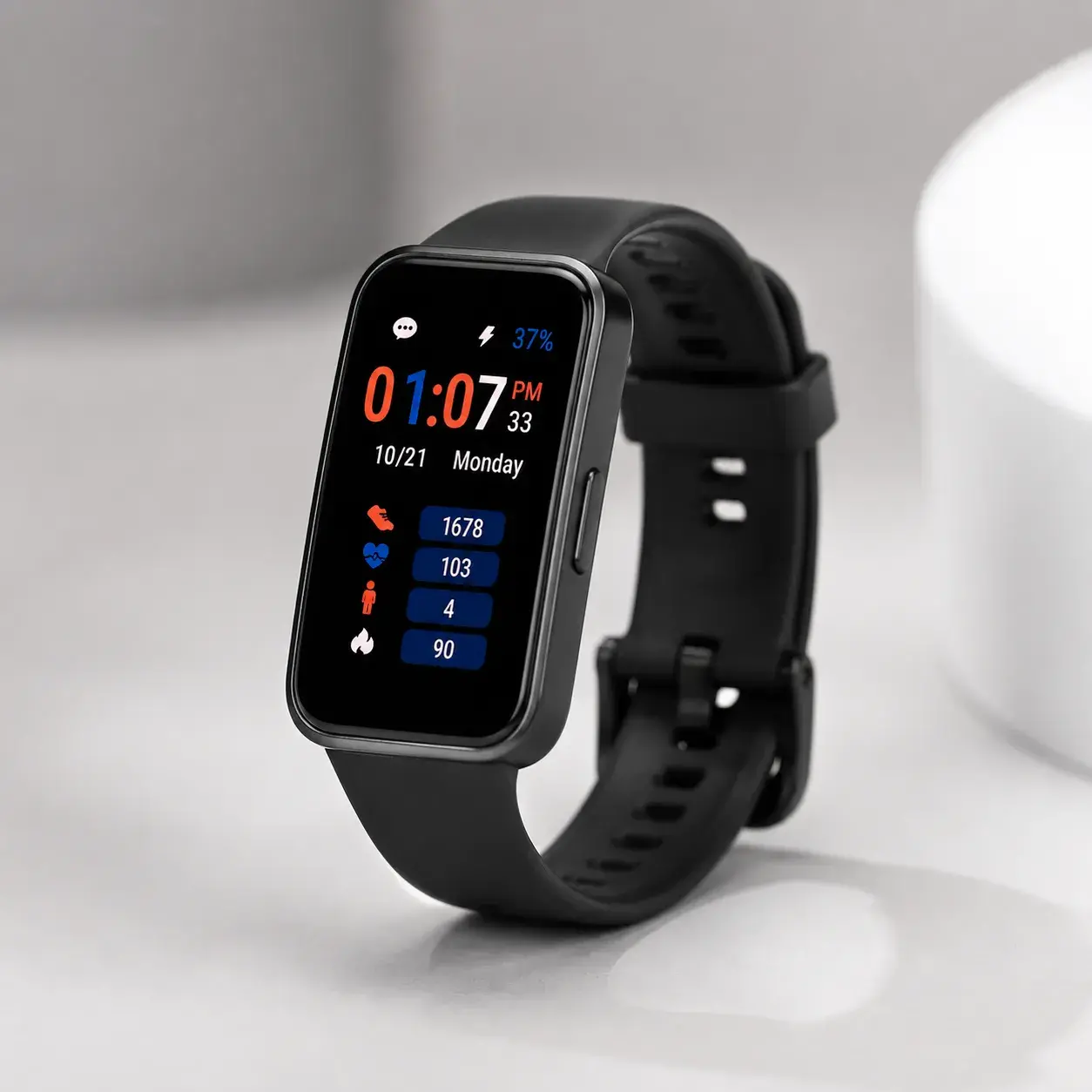
HUAWEI Band 9 is a lightweight and affordable fitness tracker released in 2024, designed to help you stay on top of your health, sleep, and daily activity. It builds on the HUAWEI Band 8 with refined sensors and smarter algorithms, delivering more accurate health insights while maintaining the long battery life that the series is known for.
The HUAWEI Band 9 was officially announced in April 2024, with its initial launch taking place in China around April 11–12. It became available in Japan and several other markets on April 25, followed by a broader global rollout across regions such as the Philippines and India later that month.
As the successor to the HUAWEI Band 8, it introduces refined health sensors and improved wearing comfort while maintaining the familiar lightweight design.
The HUAWEI Band 9 has received consistently positive feedback from users, with ratings typically ranging from 4.5 to 4.9 out of 5 across major online marketplaces.
Many users praise its lightweight design, bright display, reliable heart rate and sleep tracking, and real-world battery life of around 7 to 14 days. Overall, it is widely regarded as an excellent value-for-money fitness tracker.
Technology reviewers have also given the HUAWEI Band 9 strong scores. It earned 4.80/5 from my-best Japan and received approximately 75/100 in several German review publications.
Most experts highlight its comfortable design, accurate health monitoring, and long battery life, while noting that it lacks built-in GPS and some advanced smartwatch features. Even so, it remains one of the best fitness trackers in its price range.
The HUAWEI Band 9 is designed to support your health, fitness, and daily routine without feeling complicated. Whether you’re tracking workouts or simply staying connected, these features help you get more out of the smart band every day.
The Huawei Band 9 Specifications combine a lightweight design with practical features for everyday health tracking, workouts, and smart connectivity. Here’s a closer look at the key specifications and what they mean for daily use.
Setting up the HUAWEI Band 9 only takes a few minutes. Before you begin, make sure the band has enough battery and install the Huawei Health app on your smartphone.
Once connected, the HUAWEI Band 9 is easy to use through its touchscreen and side button. Swipe and tap to access different features.
To connect the HUAWEI Band 9 with your smartphone, you’ll need the Huawei Health app and Bluetooth enabled.
The HUAWEI Band 9 is fully compatible with iPhones running supported versions of iOS.
Connecting the HUAWEI Band 9 to an Android phone follows a similar process.
Charging the HUAWEI Band 9 is simple using the included magnetic charging cable.
If you’re troubleshooting issues or preparing to sell the device, you can reset the HUAWEI Band 9 to its factory settings.
After resetting, you’ll need to pair the HUAWEI Band 9 with your phone again before using it.
The Huawei Band 9 and Xiaomi Smart Band 9 (Mi Band 9) are two of the best budget fitness trackers released in 2024. Both offer AMOLED displays, comprehensive health monitoring, water resistance, and impressive battery life.
However, if you’re looking for the best overall value, the Xiaomi Smart Band 9 has a slight advantage thanks to its brighter display, longer battery life, more workout modes, and lower price. That said, the Huawei Band 9 remains an excellent choice if you prioritize sleep tracking, comfort, and the Huawei Health ecosystem.
| Feature | Huawei Band 9 | Xiaomi Smart Band 9 | Winner |
|---|---|---|---|
| Display | 1.47-inch AMOLED, 368 × 194, 282 PPI, auto-brightness | 1.62-inch AMOLED, 490 × 192, up to 1,200 nits, 60Hz | Xiaomi |
| Dimensions | 43.45 × 24.86 × 8.99 mm | 46.53 × 21.63 × 10.95 mm | Huawei (slimmer) |
| Weight | Approximately 14 g | Approximately 15.8 g | Huawei (lighter) |
| Battery Capacity | 180 mAh | 233 mAh | Xiaomi |
| Battery Life | Up to 14 days | Up to 21 days | Xiaomi |
| Workout Modes | 100+ | 150+ | Xiaomi |
| Heart Rate Monitoring | TruSeen 5.5+ | Improved optical sensor | Tie |
| Sleep Tracking | TruSleep 4.0+ with Sleep Breathing Awareness | Sleep tracking with sleep score | Huawei |
| Blood Oxygen (SpO₂) | Yes | Yes | Tie |
| Stress Monitoring | Yes | Yes | Tie |
| Water Resistance | 5 ATM | 5 ATM | Tie |
| Special Features | Side button, remote camera control, calendar sync | Linear vibration motor, more watch faces | Depends on preference |
| Companion App | Huawei Health | Mi Fitness | Depends on ecosystem |
| Approximate Price | US$50–70 | US$40–55 | Xiaomi |
For most buyers, the Xiaomi Smart Band 9 offers the better overall value. It provides a larger and brighter display, longer battery life, more workout modes, and a lower starting price, making it an excellent all-around fitness tracker.
However, the Huawei Band 9 is still a strong competitor. If you care more about detailed sleep analysis, lightweight comfort, and prefer the Huawei Health app, it’s arguably the better choice. Its TruSleep 4.0+ technology and refined health tracking make it especially appealing for users focused on wellness rather than just fitness.
Bottom line:
- Choose Huawei Band 9 if you prioritize sleep tracking, comfort, and the Huawei Health ecosystem.
- Choose Xiaomi Smart Band 9 if you want the best overall value, a brighter display, longer battery life, and more fitness features.

I’ve been using the HUAWEI Band 9 since August 2024, giving me plenty of time to see how it performs beyond the first impression. Rather than relying on a few days of testing, this review is based on months of everyday use—from working and exercising to wearing it while sleeping.
Overall, the HUAWEI Band 9 has been a reliable fitness tracker for tracking daily activity, heart rate, sleep, and notifications. Its lightweight design makes it comfortable enough to wear throughout the day, while the long battery life means I rarely have to think about charging it.
In this Huawei Band 9 Reviews section, I’ll share my personal experience with its setup, comfort, health tracking, connectivity, battery performance, and a few things you should know before deciding whether it’s the right fitness tracker for you.
The HUAWEI Band 9 has become more affordable since its launch, making it one of the best value fitness trackers in its category. Pricing varies by region, strap material, color, and promotional discounts, so the final cost may differ depending on where and when you buy it.
| Region / Market | HUAWEI Band 9 Price Range (Mid-2026) | Notes |
|---|---|---|
| Global | US$40–60 | Common sale price for the standard model. |
| India | ₹2,699–₹3,999 | Frequently available at discounted prices. |
| Malaysia | RM158–RM219 | Price varies by retailer and promotions. |
| Indonesia | Rp399,000–Rp699,000 | Flash sales can reduce the price to around Rp300,000–Rp500,000. |
| Europe | €49–€70 | Standard retail pricing across many countries. |
| Japan | ¥5,000–¥8,580 | Sale events often bring the price closer to ¥5,000. |
| Saudi Arabia & UAE | US$50–110 (approx.) | Some retailers include bundles or promotional gifts. |
The HUAWEI Band 9 is available from both official HUAWEI channels and authorized retailers. Buying from the official HUAWEI website or store is a good option if you want access to promotions, bundle deals, or warranty services.
You can also purchase the HUAWEI Band 9 from popular online marketplaces, including Amazon, Flipkart, Shopee, Lazada, Tokopedia, and AliExpress. Prices often vary depending on the seller and ongoing promotions.
If you prefer shopping in person, the HUAWEI Band 9 is sold at Huawei Experience Stores, authorized electronics retailers, and selected department stores. Availability may vary by country, so it’s worth checking your local retailers before visiting.
If your HUAWEI Band 9 isn’t working as expected, most issues can be resolved without professional repair. This HUAWEI Band 9 troubleshooting guide covers the most common problems users encounter, along with practical steps you can try before contacting Huawei Support.
If your HUAWEI Band 9 won’t connect to your smartphone, the issue is usually related to Bluetooth, the Huawei Health app, or an interrupted pairing process. Before trying more advanced fixes, start with these basic troubleshooting steps:
If your HUAWEI Band 9 doesn’t start charging after you attach the magnetic charger, poor contact or an incompatible power source is often the cause. To rule out the most common issues, try the following:
If calls, messages, or app notifications aren’t appearing on your HUAWEI Band 9, the problem is usually caused by missing permissions or background restrictions. Before reconnecting the device, check the following settings:
Bluetooth connection issues can lead to random disconnections or syncing failures. In most cases, you can restore a stable connection by following these steps:
Battery life depends on how you use the HUAWEI Band 9. Features like Always-On Display, continuous health monitoring, and frequent workouts naturally consume more power. If the battery drains faster than expected, try these tips:
A black screen doesn’t always mean the device is damaged. In many cases, the battery is simply depleted or the system has temporarily frozen. Before assuming there’s a hardware issue, try the following:
If your workouts or health data aren’t syncing with Huawei Health, the issue is usually related to Bluetooth or internet connectivity. You can often resolve it by following these steps:
A factory reset can resolve persistent software issues by restoring the HUAWEI Band 9 to its default settings. Before resetting the device, keep these points in mind:
Keeping your HUAWEI Band 9 up to date helps improve stability, battery performance, and compatibility with new devices. To install the latest firmware:
Sometimes the HUAWEI Band 9 won’t reconnect immediately after a factory reset because old pairing information is still stored on your smartphone. To fix the issue:
Heart rate readings may become less accurate if the band isn’t worn correctly or the sensor is dirty. For more reliable results:
Sleep tracking works best when the band is worn correctly and TruSleep is enabled. If your sleep data isn’t being recorded, try these steps:
Like any wrist-based fitness tracker, the HUAWEI Band 9 may occasionally overcount or undercount steps depending on your arm movements. To improve accuracy:
The HUAWEI Band 9 doesn’t include built-in GPS. Instead, it relies on your smartphone’s GPS during outdoor workouts. To record routes correctly:
If the touchscreen freezes or stops responding, the issue is often temporary and can usually be resolved with a few simple steps:
Read more:
If you’re considering buying the HUAWEI Band 9 or already own one, you may have a few questions about its features and compatibility. Below are answers to some of the most frequently asked questions to help you get the most out of the device.
Yes. The HUAWEI Band 9 works with both Android and iOS devices through the Huawei Health app. Once paired via Bluetooth, you can sync health data, manage settings, receive notifications, and update the band’s firmware from your smartphone.
No. The HUAWEI Band 9 does not include a built-in microphone or speaker, so you can’t answer or make phone calls directly from the band. However, it can display incoming call notifications, and Android users can reject calls or send predefined quick replies.
Under typical usage, the HUAWEI Band 9 can last up to 14 days on a single charge. With heavier usage, such as Always-On Display and continuous health monitoring enabled, battery life is usually around 9 days. A full charge takes approximately 45 minutes, while a quick 5-minute charge provides up to 2 days of use.
Yes. The HUAWEI Band 9 has a 5 ATM water resistance rating, making it suitable for swimming, showering, and everyday water exposure. It also includes dedicated swimming workout modes, but it is not recommended for scuba diving, high-pressure water sports, or sauna use.
No. The HUAWEI Band 9 does not include built-in GPS. Instead, it uses your smartphone’s GPS during outdoor workouts, allowing you to record routes while keeping the fitness tracker lightweight and power-efficient.
The HUAWEI Band 9 continuously monitors several important health metrics, including:
These insights are automatically synchronized with the Huawei Health app for more detailed analysis.
The main difference is that the HUAWEI Band 9 offers refined hardware and software rather than a complete redesign. Compared to the Band 8, it introduces TruSeen 5.5 for improved heart rate accuracy, TruSleep 4.0 for enhanced sleep tracking, automatic brightness adjustment, updated Activity Rings 2.0, and a more comfortable strap material.
Yes. The HUAWEI Band 9 supports more than 10,000 watch faces through the Huawei Health app. You can choose from free and premium designs or even use your own photos to create a personalized watch face.
Yes. The HUAWEI Band 9 can automatically detect common exercises such as walking, running, and elliptical workouts. When it recognizes sustained activity, it prompts you to start recording the workout so you don’t miss important fitness data.
Yes. Weighing only 14 grams without the strap and measuring just 8.99 mm thick, the HUAWEI Band 9 is designed for all-day and all-night comfort. Its lightweight body and soft fluoroelastomer strap make it easy to wear overnight for continuous sleep tracking without causing discomfort.
The HUAWEI Band 9 shows that a fitness tracker doesn’t have to be packed with premium smartwatch features to be genuinely useful. For many people, long battery life, accurate health tracking, and a comfortable design matter far more than having extra apps they’ll rarely use. In practice, choosing the right wearable often comes down to finding one that fits naturally into your daily routine.
Interestingly, the value of a device like the HUAWEI Band 9 isn’t just in the numbers it records, but in the habits it helps you build over time. Whether it’s encouraging you to move a little more, sleep a little better, or simply become more aware of your daily activity, those small improvements can add up in meaningful ways.
If you’ve been using the HUAWEI Band 9, what’s your experience been like? Have you found a feature you rely on every day, or is there something you wish Huawei would improve in the next generation? Share your thoughts and experiences in the comments—we’d love to hear your perspective.