Physical Address
304 North Cardinal St.
Dorchester Center, MA 02124
Physical Address
304 North Cardinal St.
Dorchester Center, MA 02124

Your Guide to the Latest in Tech
Your Guide to the Latest in Tech
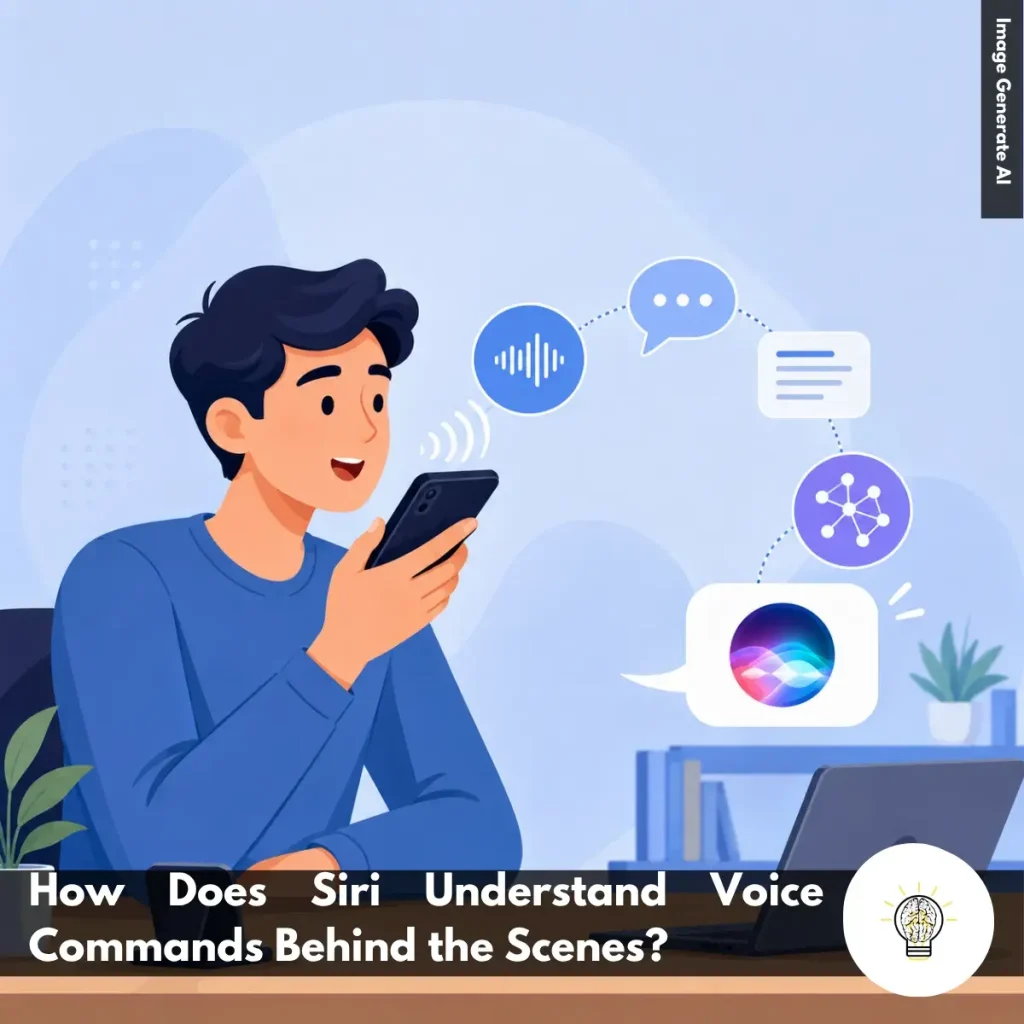
Ruminesia – Have you ever wondered how Siri can instantly understand what you’re saying, even when you’re speaking casually or using less-than-perfect sentences? From a user’s perspective, it feels simple—just call Siri and make a request. Yet behind a response that arrives in seconds is a process far more complex than it appears.
When exploring How Does Siri Understand Voice Commands, many people assume the answer is simply voice recognition. In reality, understanding human speech involves much more than hearing words one by one. Siri must identify sounds, convert them into text, interpret the intent behind the sentence, and connect it with relevant context before delivering an accurate response.
Interestingly, the experience of talking to Siri reflects one of the biggest challenges in artificial intelligence: understanding people. It’s not just about what we say, but what we actually mean. That’s what makes the technology behind every voice command so fascinating to explore.
Key Highlights
- Siri only starts processing after detecting its wake word on-device.
- Voice commands are converted into text through advanced speech recognition models.
- Understanding intent matters as much as recognizing the words themselves.
- Siri uses context and conversation history to handle more natural follow-up requests.
- On-screen content helps Siri interpret commands beyond spoken language alone.
- Fast responses rely on multiple systems working together in milliseconds.
Talking to Siri often feels effortless. You ask a question, request a task, or give a command, and the response arrives almost instantly. What many users don’t realize is that this seemingly simple interaction relies on several layers of processing working together behind the scenes.
To understand how does Siri understands voice commands, it helps to look at the journey your voice takes—from the moment you say “Siri” to the moment a response is spoken back to you.
Before Siri responds to anything, your device first waits for a specific wake phrase, such as “Hey Siri” or simply “Siri.”
A dedicated low-power processor continuously monitors for this phrase using an on-device Deep Neural Network (DNN). Instead of recording everything you say, it analyzes sound patterns and calculates whether the detected audio matches the wake word.
In practice, this approach helps protect both privacy and battery life. Your device doesn’t start recording or sending data for further processing until it’s confident that you’ve intentionally activated Siri.
Once Siri is activated, the next step is turning your spoken words into text through Automatic Speech Recognition (ASR).
The system breaks your voice into tiny audio segments and identifies phonemes, which are the basic building blocks of spoken language. From there, language models analyze grammar, context, and word patterns to determine what you’re actually saying.
Interestingly, this is what allows Siri to distinguish between words that sound alike, such as “write” and “right.” The surrounding context helps the system choose the most likely meaning.
Recognizing words is only part of the process. Siri also needs to understand your intention. This stage relies on Natural Language Understanding (NLU), which focuses on two key tasks:
For example, if you ask, “What’s the weather like tomorrow?”, Siri recognizes that you’re requesting a weather forecast and identifies “tomorrow” as the relevant time reference. The goal isn’t simply to understand words—it’s to understand the purpose behind them.
Modern versions of Siri do more than process individual commands. They also consider context.
For example, if you ask, “Who is the president of Indonesia?” and then follow up with, “How old is he?”, Siri can connect the second question to the first and understand who “he” refers to.
Besides that, Siri can use on-screen context. If you’re viewing an email, document, or photo, a command like “Send this to Aisyah” can be interpreted based on what’s currently displayed on your device.
This ability makes interactions feel less like issuing commands and more like having a conversation.
Once Siri understands your intent, it communicates with the appropriate service, app, or database to complete the task.
Depending on the request, that could mean retrieving information from Apple Maps, checking your Calendar, searching the web, or opening another app.
Finally, Siri converts the result into natural-sounding speech using Text-to-Speech (TTS) technology and responds within milliseconds.
Although the entire process feels instant, it’s actually the result of multiple intelligent systems working together seamlessly behind the scenes.
Read more:
Frequently Asked Questions about Siri often focus on privacy, customization, voice commands, and everyday usability. Below are some of the most common Siri questions, along with concise and practical answers for Apple users.
You can change Siri’s voice by going to Settings > Apple Intelligence & Siri > Siri Voice. From there, choose different accents and voice options, including American, British, Australian, and more.
Once selected, your iPhone will automatically download the voice files over Wi-Fi. This allows Siri to sound more natural based on your preference.
Yes, Siri can handle several basic commands offline on supported iPhones. You can set alarms, open apps, control music, or adjust settings without internet access.
However, requests that need live information, such as weather updates or web searches, still require Wi-Fi or cellular data.
This usually happens because voice activation is disabled or the microphone is blocked. Check Settings > Apple Intelligence & Siri and make sure “Listen for ‘Hey Siri’” is turned on.
Besides that, avoid placing your iPhone face down or inside a thick case that may affect microphone detection. Restarting the device can also help fix temporary Siri issues.
To enable this feature:
Once enabled, Siri can read incoming messages aloud and let you reply hands-free.
Apple does not currently allow completely custom wake words for Siri. However, newer iOS versions let users shorten the phrase from “Hey Siri” to simply “Siri.” If you want more customization, you can use Vocal Shortcuts inside Accessibility settings to trigger certain actions using custom phrases.
You can delete Siri history directly from your iPhone settings. Go to Settings > Apple Intelligence & Siri > Siri & Dictation History, then choose the delete option. This removes stored voice recordings and Siri interaction history linked to your account. One thing many users overlook is that this can improve privacy management.
No, Siri does not continuously record private conversations. Your device only listens locally for the wake phrase like “Hey Siri” or “Siri.” Once Siri detects the trigger phrase, it begins processing your request. If preferred, you can disable voice activation entirely in the settings.
Activate Siri and say, “Learn how to pronounce my name.” Siri will guide you through a short pronunciation setup process. You’ll be asked to repeat your name, then select the pronunciation that sounds most accurate. Siri will save it automatically to your contact profile.
Yes, Siri can help locate a misplaced iPhone using other Apple devices like Apple Watch, HomePod, or iPad. Simply say, “Where is my iPhone?” to trigger the search. Even if the iPhone is in silent mode, it will still make a loud sound to help you find it quickly.
First, enable Siri access for WhatsApp in your iPhone settings. Open Settings > WhatsApp and turn on the “Use with Siri” option.
After that, specify WhatsApp directly in your voice command. For example, say “Send a WhatsApp message to Sarah” instead of only saying “Message Sarah.”
The next time Siri answers a question or completes a task in seconds, it’s worth remembering how much is happening behind that simple interaction. What feels like a quick conversation is actually a combination of speech recognition, language understanding, context awareness, and real-time decision-making working together behind the scenes.
Looking at how does Siri understand voice commands also highlights a bigger shift in technology. The goal is no longer just helping computers hear what we say, but helping them understand what we mean. In many ways, that’s what makes voice assistants feel increasingly natural and useful in everyday life.
Maybe you’ve noticed moments when Siri understood exactly what you meant—or times when it completely missed the mark. Both experiences reveal just how complex human communication really is. What’s your experience with Siri? Has it ever surprised you with how well it understood a request?