ruminesia – Many people struggle to explain who they are in a way that feels authentic, and the same challenge shows up when writing the About Section On Linkedin. You want to sound confident without overselling, and you want your profile to feel human, not robotic.
This section matters because it’s often the first place recruiters and potential collaborators check when evaluating your story. The right words can help you stand out in a crowded feed and give people a clear sense of your direction.
Knowing what to write isn’t always straightforward, but a simple structure can make things easier. Once you understand how to shape your message, the rest starts to fall into place.
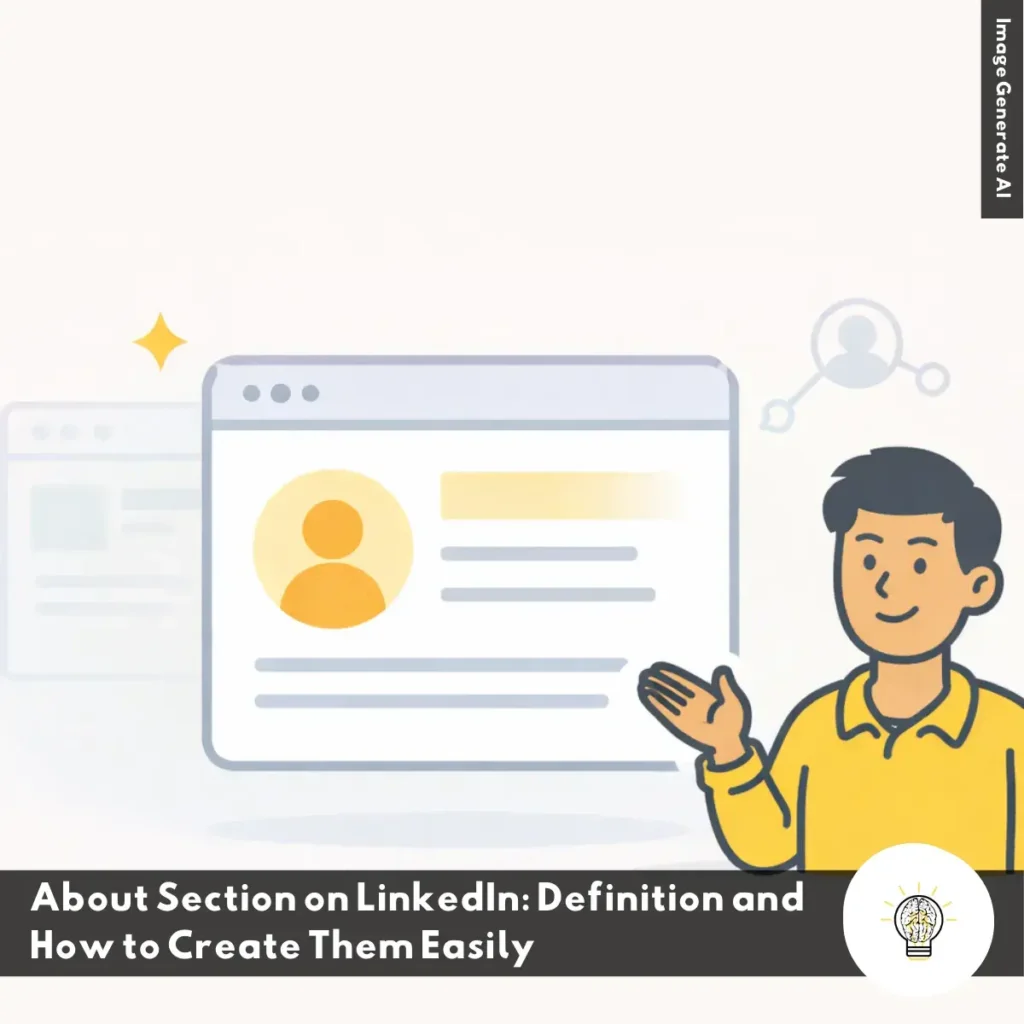
The About Section on LinkedIn is your chance to introduce yourself in a way that feels real, focused, and memorable. It sits right below your profile photo and headline, and you can use this space to explain who you are, what you do, and why your work matters. Think of it as your professional elevator pitch—only with more room to show personality and highlight the strengths you want people to notice.
In this section, you can walk readers through your career story, key skills, and the value you bring to your field. It’s also a great place to add relevant keywords so recruiters and hiring managers can find you more easily. Writing in the first person helps your tone feel human and approachable, while adding clear achievements or measurable impact helps your expertise stand out. A simple call to action at the end—such as inviting people to connect or discuss opportunities—can also encourage engagement.
About Section Function On LinkedIn
Your LinkedIn About section helps people understand who you are and why your work matters. Knowing the About Section Function on LinkedIn makes your profile clearer and more discoverable.
Explain Who You Are Beyond Job Titles: Your Experience section shows what you did, but your About section explains why it matters. Use this space to highlight motivations, values, and the meaning behind your career decisions. This helps readers understand the person behind the roles.
Help LinkedIn Rank You in Search: LinkedIn reads your About section for keywords to match you with recruiter searches. When you include relevant skills, tools, and expertise, you appear in more accurate results. This makes visibility a natural part of your summary.
Give Context to Your Career Path: Not every career is linear. Use the About section to explain gaps, pivots, or transitions that might confuse readers. Clear context helps recruiters follow your journey with confidence.
Show Personality Professionally: This is the only place on your profile where you can sound human. A warm, conversational tone helps people understand your working style and makes your profile more memorable. It builds a connection before anyone reaches out.
Create a Strong “See More” Hook: Only the first three lines are visible before “See more.” This short space must quickly show your value and spark curiosity. A strong opening increases engagement and keeps people reading.
Highlight Your Unique Value: Your About section is a chance to state what sets you apart. Mention strengths, habits, or impact that define your work. This helps readers understand why you stand out in your field.
Align with Your Career Goals: Use this section to show where you’re heading, not just where you’ve been. Mention the roles, industries, or skills you want next. This guides recruiters toward opportunities that fit your direction.
Boost Credibility with Impact: Add a few key achievements or results to reinforce your expertise. Even small metrics or outcomes help people trust your experience. Keep it concise but meaningful.
Guide Readers Toward Action: A simple call-to-action helps people know how to engage with you. Whether it’s connecting, collaborating, or discussing opportunities, direct guidance increases meaningful conversations.
Where to Write About Section On Linkedin?
Your about section is one of the most visited parts of your LinkedIn profile. Knowing where to write about section on LinkedIn helps you update it fast and keep your profile ready for new opportunities.
How to Find the About Section on Desktop
Here’s the quick way to locate your About section on the desktop version of LinkedIn:
Go to the homepage and click the Me icon in the top-right corner.
Select View Profile from the dropdown menu.
Scroll down until you see the About header on your profile.
Click the Pencil (✎) icon on the right side to edit your text.
If the About section is missing, click Add profile section, choose Core, then select Add About to create it.
How to Find the About Section on Mobile
Here’s how to quickly find your About section using the LinkedIn mobile app:
Tap your Profile Picture in the top-left corner of the app.
Select View Profile to open your full profile.
Scroll down until you see the About section.
Tap the Pencil (✎) icon to edit your text.
If you don’t see it, tap Add section, pick Core, and choose Add About to add it.
Now you know exactly where to write about section on LinkedIn on both desktop and mobile. Keeping this section updated helps your profile stay clear, relevant, and more engaging for anyone who visits it.
Recommended Structure for About Section on LinkedIn
A clear Recommended Structure for About Section on LinkedIn helps you write a summary that feels intentional and easy to read. This simple flow guides visitors through who you are, what you do, and why they should connect with you.
The Hook: Use your first two or three lines to spark interest, because people only see this part before clicking “See more.” Start with a bold statement, a personal mission, or a short overview of what you do.
The Meat: Use this middle section to connect your experience, achievements, and motivations cohesively. Bullet points can help make key highlights easier to scan:
Core achievements or results
Problems you solve or specialities you focus on
What motivates your work
The Call to Action: Close your summary by inviting people to reach out for the right reasons. You can mention whether you’re open to networking, hiring, collaboration, or new opportunities.
Three Styles You Can Use for About Section on LinkedIn
The Three Styles You Can Use for About Section on LinkedIn helps you choose a writing approach that fits your industry and personality. Each style gives you a different way to showcase your strengths while keeping your summary easy to understand.
The Storyteller: This style works well for creatives, founders, and people shifting careers. It uses a warm, narrative tone that highlights your “why” and the moments that shaped your path.
The Value-Driven: This approach suits roles like sales, marketing, and project management. It focuses on measurable results, the problems you solve, and the specific value you deliver.
The Minimalist: This style is ideal for executives and tech leaders who prefer a direct voice. It keeps things short and confident, often spotlighting three or four major wins that define your impact.
Choosing a style that feels authentic helps your About section stand out and connect with the right audience.
How to Create About Section On Linkedin
The How to Create About Section on LinkedIn guide helps you add a clear, professional summary that makes your profile easier to understand and easier to find. You can set it up in just a few quick steps.
Go to Your Profile: Click the “Me” icon on the top right of LinkedIn and choose “View profile.” This takes you to your main profile page.
Find the About Area: Scroll down until you see the “About” section and select the pencil icon. This opens the editor so you can start writing.
Write or Paste Your Content: Add a summary that describes your skills, experience, and the value you bring. You can type it directly or paste it from another draft.
Save Your Updates: Click “Save” when you’re finished to publish your new About section instantly.
A simple, well-written About section helps people understand who you are and why they should connect with you.
How to Add About Section On Linkedin
The How to Add About Section on LinkedIn guide helps you update this key part of your profile so people can quickly understand who you are and what you offer. You can add it in minutes, even if you’re new to LinkedIn.
Access Your Profile: Click the “Me” icon in the top-right corner of the LinkedIn homepage and choose “View profile.” This takes you straight to your public profile.
Find or Add the About Section: Scroll until you see the “About” area. If it’s missing, click “Add profile section” and select “About.” If it already exists, use the pencil icon to start editing.
Write Your Summary: Use the editor window to create a clear, concise overview of your skills, experience, and values. LinkedIn provides up to 2,600 characters, so you have room to explain what makes you unique.
Save Your Changes: Click “Save” when you’re done to publish your updated About section instantly.
Keeping this section fresh helps your profile stay relevant and makes it easier for the right people to connect with you.
How to Fill in About Section on LinkedIn
The How to Fill in About Section on LinkedIn guide helps you write a clear, professional introduction that tells people who you are and what you do. You can complete it in a few simple steps.
Go to Your Profile: Click the “Me” icon in the top-right corner of your LinkedIn page and choose “View profile.” This brings you to the page where you can edit your information.
Find or Add the About Section: Scroll through your profile to locate the “About” area. If it’s missing, click “Add profile section” and select “About” to create it.
Write Your Content: Use the pencil icon to open the editor and start writing your summary. You can use up to 2,600 characters to describe your skills, experience, and professional focus.
Save Your Updates: Click “Save” once you’re finished so your new About section appears on your profile.
A thoughtful About section helps people quickly understand your background and encourages the right connections.
Best Practices for Writing a Strong About Section on LinkedIn
The Best Practices for Writing a Strong About Section on LinkedIn help you create a summary that feels human, clear, and genuinely valuable. A good About section speaks to real people while staying friendly to LinkedIn’s search engine.
Start with a Strong Hook: Capture attention in your first one or two sentences. You can open with a bold statement, a question, or a quick achievement that reflects what your audience cares about.
Focus on Value and Problems You Solve: Explain the challenges your audience faces and how your skills address them. Frameworks like Problem–Agitate–Solution help you communicate impact in a simple, structured way.
Show Personality and Story: Write the way you speak so your summary feels natural and relatable. You can use light storytelling, short paragraphs, and occasional emojis if they match your style.
Incorporate Keywords Naturally: Add terms people search for in your field, such as job titles or technical skills. Keep them conversational so your writing stays smooth and readable.
Highlight Achievements with Proof: Use specific metrics or results to make your claims stronger. Numbers add credibility and help readers understand your real impact.
End with a Clear CTA: Invite readers to reach out, connect, or explore opportunities with you. A simple line helps guide the next step and keeps your profile interactive.
Use a Skimmable Structure: Break your summary into three to five short paragraphs for easy reading. A simple flow is: hook, key value and proof, a personal touch, then a clear call to action.
Following these practices helps you create an About section that attracts the right people and reflects who you are as a professional.
How to Write About Section on LinkedIn
The How to Write About Section on LinkedIn guide helps you craft a summary that feels engaging, clear, and relevant to the people you want to reach. A strong About section makes your profile easier to understand and more appealing at a glance.
Understand Your Audience: Decide whether you’re speaking to recruiters, clients, or potential partners. Shape your message around what they care about most.
Use a Compelling Opening Sentence: Create a strong first line because only the first few lines appear before the “See more” button. Make it interesting enough to keep people reading.
Explain Your Mission: Share why you chose your field and what motivates your work. This adds a personal touch and helps readers connect with you.
Highlight Skills and Experience: Summarize your core skills, industry focus, and key achievements in two or three short sentences. Keep it practical and relevant.
Include Real Evidence: Add specific results or metrics to show the impact of your work. Clear examples build credibility quickly.
Include Relevant Keywords: Use terms people search for in your field to improve visibility. Keep them natural so your writing stays smooth.
Add a CTA: End with a simple invitation to connect, collaborate, or reach out. It guides readers toward the next step.
Keep It Concise and Easy to Read: Use short paragraphs and avoid heavy jargon. A clean structure makes your summary more skimmable on mobile.
Following these steps helps you write an About section that feels authentic and encourages the right people to engage with your profile.
Tips for Optimizing the About Section on LinkedIn
The Tips for Optimizing the About Section on LinkedIn help you write a summary that feels clear, engaging, and easy to scan. A well-structured About section also improves your visibility in search.
Start with a Strong Hook: Open with your current role, key skills, or a simple statement about your passion. A direct line like “Aspiring web developer skilled in Elementor and WordPress” helps readers understand you quickly.
Highlight Achievements and Keywords: Add a few achievements and include role-related keywords from job descriptions. You can also add a simple call to action, such as “Open to collaborations in Jakarta,” to guide the next step.
Keep It Skimmable: Use short paragraphs and occasional bullet points to make your summary easier to read. Mixing English and Indonesian can also help you reach a broader audience if your network spans both languages.
A clean, readable structure helps your About section stand out and makes your profile more inviting to potential connections.
How to Edit About Section on LinkedIn
The How to Edit About Section on LinkedIn guide helps you keep your summary fresh, relevant, and aligned with your current goals. Updating it regularly ensures your profile reflects who you are today.
Log in to Your LinkedIn Account: Open LinkedIn and sign in as usual so you can access your profile settings.
Access Your Profile: Click the “Me” icon in the top-right corner and select “View profile.” This brings you to the page where all your editable sections appear.
Find the About Section: Scroll down until you reach the “About” area. This is where your professional summary is displayed.
Enter Edit Mode: Click the pencil icon in the top-right corner of the section. This opens the editor so you can make adjustments.
Change or Update Content: Rewrite or refine your summary in the pop-up window. LinkedIn allows up to 2,600 characters, giving you room to highlight your skills, goals, and personality.
Save Changes: When you’re finished, click “Save” to apply and display your updates instantly.
A quick refresh of this section helps your profile stay accurate and more engaging to the people you want to reach.
Quick Template About Section on LinkedIn
Before choosing a Quick Template About Section on LinkedIn, it helps to understand which style fits your goals and audience. Each template below gives you a fast, beginner-friendly starting point you can customize in minutes.
Professional / Job Seeker Template (Tech Roles)
This template makes it easy to highlight your role, impact, and technologies in a clear, recruiter-friendly format.
Sample Template
“I’m a Senior Backend Engineer who builds reliable, high-scale systems for global payments. At [Company], I led a microservices migration that cut latency by 60% and supported 2B+ transactions/year. I enjoy solving complex problems with Python, Go, and distributed systems. Outside work, I contribute to open source and mentor juniors. If you’re building something ambitious, let’s connect.”
Client-Focused / Freelancer Template
This version helps freelancers communicate the client problem, the solution, and the measurable results they bring.
Sample Template
“Struggling with marketing that looks good but fails to convert? I help B2B SaaS teams generate qualified leads that actually close. Last year, my strategies achieved 3.4× ROI for clients in fintech and healthtech. My method blends data-driven storytelling with constant testing. DM me if you want predictable, scalable growth.”
Tailored Template Support
Use this format if you want a simple structure that you can adapt to any field or speciality with minimal effort.
Sample Template
“I’m a [your role] with experience in [core skill/industry]. I’ve delivered results such as [achievement with metric]. My work is driven by [your approach/strength]. If you’re open to collaboration or new ideas, feel free to reach out.”
These templates are a quick way to build a clearer, more confident summary. Use the format that fits your goals, and feel free to ask for a custom Quick Template About Section on LinkedIn anytime.
About Section on LinkedIn Sample
Here are some LinkedIn About examples suitable for different career stages. Each example is designed to reflect your personality, skills, and professional goals and has been keyword-optimized to support LinkedIn SEO.
About Section On Linkedin Sample for Student
I am an active student in the Communication Studies Program at the University of Indonesia, and I am interested in digital marketing and content creation.
During college, I was active in campus organizations and was part of the social media team in several campus projects. I am also developing my content portfolio on Instagram and my personal blog.
I am currently open to digital marketing, branding, or social media internship opportunities. Feel free to connect if you’d like to discuss digital trends or collaboration opportunities in communications.
About Section On Linkedin Sample for Fresh Graduate
I am a recent graduate from Gadjah Mada University, majoring in Informatics Engineering. I have a keen interest in application development and data analysis. During my studies, I actively participated in freelance website development projects and various coding boot camps.
I believe in the power of technology to solve everyday problems. Currently, I am looking for job opportunities as a junior developer or data analyst. Please get in touch with me if you have a suitable project or position!
About Section On Linkedin Sample for Job
I’m a dedicated professional with experience in delivering high-quality work across fast-moving environments. I focus on solving real problems, improving processes, and creating value through clear communication and consistent execution.
I enjoy collaborating with diverse teams and adapting quickly to new challenges. If you’re looking for someone who combines reliability with curiosity, I’d love to connect.
About Section On Linkedin Sample for Freelance
I’m a freelance graphic designer with over 5 years of experience helping brands deliver messages through compelling visuals.
From logo design, brand identity, social media content, and promotional materials, I transform ideas into memorable and effective visuals.
I’ve worked with various clients, including startups, agencies, and global brands from various industries. Good design is a blend of aesthetics and strategy.
Currently open for new freelance projects. Let’s collaborate!
About Section On Linkedin Sample for Professional
Professional with more than 7 years of experience in digital marketing and content strategy. Through data-driven campaigns and creative approaches, I have helped local and international brands increase online visibility.
My expertise includes SEO, social media, brand storytelling, and performance marketing. I enjoy collaborating in cross-functional teams to achieve business targets. I am open to consulting projects or partnership opportunities in digital marketing and brand development.
LinkedIn Profile Creation and Optimization Services
An attractive and professional LinkedIn profile is crucial for unlocking career opportunities in this digital era. We are ready to help you create and optimize a profile that reflects your expertise and catches the attention of recruiters.
What We Offer
Professional Profile Creation: Building a LinkedIn profile with relevant information and effective strategies from scratch.
Content Optimization: Optimize every element of your profile with the right keywords to enhance visibility.
Why Choose Us?
Proven Experience: Our team has experience assisting professionals from various sectors.
Personalized Approach: We work closely with you to reflect your career aspirations in your profile.
Actual Results: Our clients have experienced increased attention from recruiters and more career opportunities.
Package Includes
LinkedIn Account Creation
Entering CV Information into Your LinkedIn Account
Profile Optimization Based on Your CV
Professional LinkedIn Header Image
Free Consultation
Contact Us Now!
For more information or a consultation, contact the AIO Berdaya team via:
A strong LinkedIn presence often starts with clarity, and your About Section On Linkedin is one of the few places where you can speak in your own voice. Taking a moment to reflect on what you do and why it matters can make this section feel more grounded and personal.
By now, you’ve seen how a clear structure, intentional keywords, and honest storytelling can turn a simple summary into a meaningful introduction. The goal isn’t perfection but helping people understand your work, your strengths, and the direction you’re heading.
If you’re refining your profile, try drafting a version today and revisit it later with fresh eyes. And if you want feedback or a tailored example, feel free to reach out anytime.
Share This Article
Athif Amirudin Muhtadi
A technology writer with 5 years of professional experience as a WordPress Developer and SEO Specialist. Focused on covering apps, gadgets, and the latest digital trends, while creating SEO-friendly content that helps readers stay informed and businesses grow their online presence.